
In the digital age of today, breaking language barriers has become a necessity. No matter if you are a content creator targeting a global audience with your videos or a business that is expanding to international markets, AI-powered video translator apps are crucial now.
These video translation apps not only translate the content spoken but also ensure preserving tone and emotions, with AI-powered dubbing delivering the most immersive multilingual experience. Updated as of June 2026, AI video translator apps are no longer just subtitle generators. The best tools now combine translation, AI dubbing, voice cloning, lip sync, subtitle editing, and review workflows so creators and businesses can localize videos without re-recording.
This guide compares tools for two common needs: natural dubbed videos and fast subtitle-based translation.
Our Top Picks of 10 Best AI Video Translators
| 5 Best AI Video Translators with Dubbing | |||
| Translators | Accuracy | Voice Cloning and Natural Dubbing | Languages Supported |
| Vozo AI | High accuracy above 98% | VoiceREAL + VoiceNATIVE natural dubbing, optional LipREAL lip sync | 160+ languages |
| Synthesia | High accuracy | Maintains original voices | 130+ languages and dialects for AI dubbing |
| HeyGen | Strong Accuracy | Versatile natural voices and excellent voice cloning | 175+ languages and dialects |
| ElevenLabs | Good accuracy of dubbing | Excellent realism | 90+ languages for Dubbing v2; API support may differ |
| Rask AI | Maintains accuracy, requires manual checks | Great voice cloning | 135+ languages |
| 5 Best AI Video Translators for Adding Subtitles | |||
| Translators | Accuracy | Synchronization and Timestamping | Languages Supported |
| Submagic | 98% accuracy | Precise timestamping | 100+ subtitle translation languages |
| Veed.io | High accuracy 98.5% | Automated sync and generation | 100+ languages |
| Kapwing | Robust accuracy | Reliable synchronization | Supports multiple languages |
| Descript | 95% accuracy | Reliable synchronization | 25+ transcription languages / 30+ translation or dubbing-related support |
| Maestra | High accuracy | Excellent synchronization | 125+ languages |
You May Also Like:
- Subtitles vs Dubbing
- Best AI Video Dubbing Tools
- Best Chrome Addons for Youtube Translation
- Best Subtitle Translators
How to Choose the Best AI Video Translator
When looking for the best AI video translator, there are multiple features that require consideration, and they help you ensure that you select a tool that meets your requirements. The main features such tools should be equipped with are as follows:
Accuracy
Accuracy is a primary requirement that you need to consider in the AI video translation app. The AI should have the ability to accurately translate the content and even maintain its actual meaning, expression, and tone. Hence, the accuracy of such software must be around 90%.
Voice Cloning
The right AI video translator will offer a high-quality voice cloning that matches the voice of the original speaker, taking care of emotional undertones and pitch. The dubbed voice should match the personality of the speaker, being natural and not robotic.
Realistic Lip-Sync
Lip sync matters a lot in enhancing the viewer’s experience; hence, the lip movements in the video and translated audio need to match. It helps keep viewers engaged with content.
Language Support
Tool selection also requires considering the languages a tool supports. When languages offered are in a wider range, your video reaches a global audience. Hence, it is essential to consider the languages supported by the tool.
Editing and Proofreading Tools
A good AI video translator would refine the output; hence, features for proofreading and editing should be considered. Such features help to proofread the translated audio ensuring accuracy and it even resonates with your viewers.
5 Best AI Video Translators for Audio Dubbing
The five best apps that translate videos for audio dubbing are as follows:
Vozo AI: Best for Human-Like Dubbing Quality & Lip-Sync
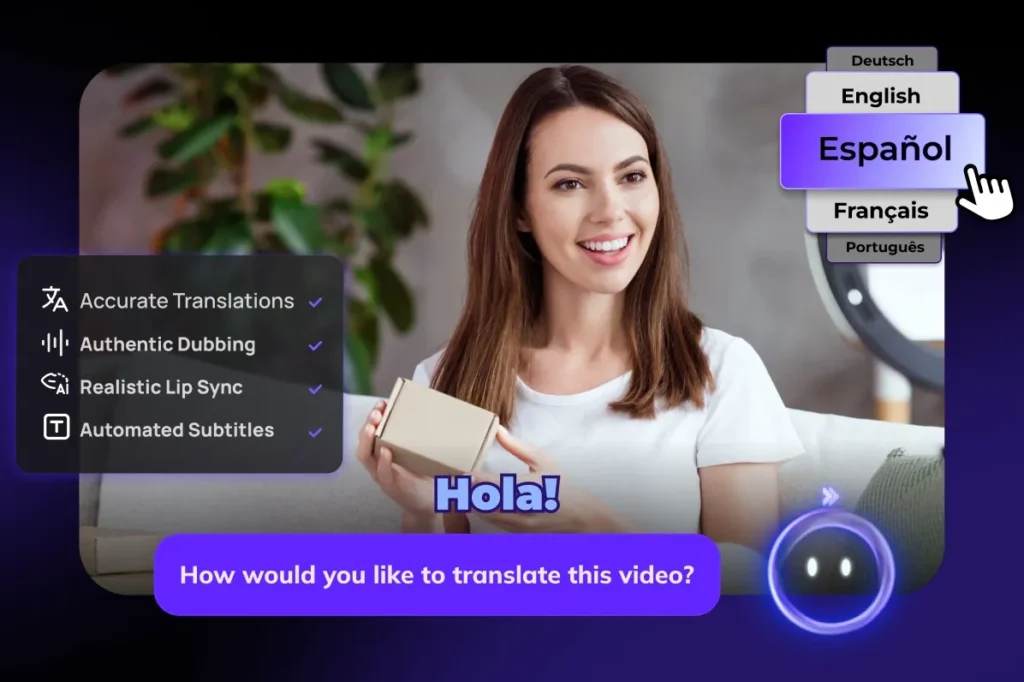
Vozo is one of the most exciting AI video translators that is not just meant to offer basic translation but also has accurate results to provide. It can create natural sounds and help you clean your own voice as well.
Updated as of June 2026, Vozo supports video translation across 165 languages, with public product messaging using 160+ languages. For voice cloning and dubbing, Vozo now offers both VoiceREAL and VoiceNATIVE. VoiceREAL is designed to preserve the original speaker’s voice identity, tone, and emotional delivery, while VoiceNATIVE is optimized for a more natural target-language accent in professional localized videos.
It comprises LipREAL technology also ensuring to match the movements of your lips to audio seamlessly. The AI pilot feature it offers allows you to make quick edits and even help to rewrite the sections in no time.
Some of the incredible features of Vozo AI include the following:
Accuracy
Vozo AI offers translation with high accuracy, it not only translates words but also helps preserve the tone and dialects. During translation, this tool ensures to keep the message the same without causing any diversions.
Voice Cloning and Natural Dubbing:
Vozo AI takes the lead in voice cloning. It has VoiceREAL™ technology offering access to 100+ pre-built AI voices (covering diverse languages, accents, and emotional tones). These voices are completely human like and ensure that the dubbed audio is natural and rich. The speaker’s tone and emotional expressions are well matched by this app.
As of June 2026, Vozo also offers VoiceNATIVE, a new voice cloning model designed for more natural target-language accents in localized dubs.
Realistic Lip-Sync
The LipREAL technology of Vozo AI allows it to achieve natural lip syncs, even if the movements of multiple complex speakers are present. Hence, the engagement with the views increases because they feel involved in the video due to a deep connection created.
Language Support
Vozo supports 165 languages for video translation, or 160+ languages in public product messaging. This makes it suitable for creators, training teams, marketers, and global businesses that need to localize one video into multiple markets.
Editing and Proofreading Tools
Vozo AI is equipped with effortless editing capabilities. It is not only a rock with an AI pilot and a text-based interface, but also is easy to use. Hence, when it comes to refining audio and text, reviewing it and correcting it the final results are excellent. This also makes it very suitable for AI video localization platform for agencies with professional workflows.
Pricing and Cost-Effectiveness
As of June 2026, Vozo offers a limited Free plan with 20 AI points for trial use. Paid plans start with Creator at $29/month, which includes 150 AI points per month and approximately 50 AI dubbing minutes. For higher-volume work, Studio starts at $99/month with 600 AI points and approximately 200 AI dubbing minutes. Enterprise pricing is available by contacting sales.
Synthesia: Best for AI Avatars with Precise Lip-Sync Dubbing
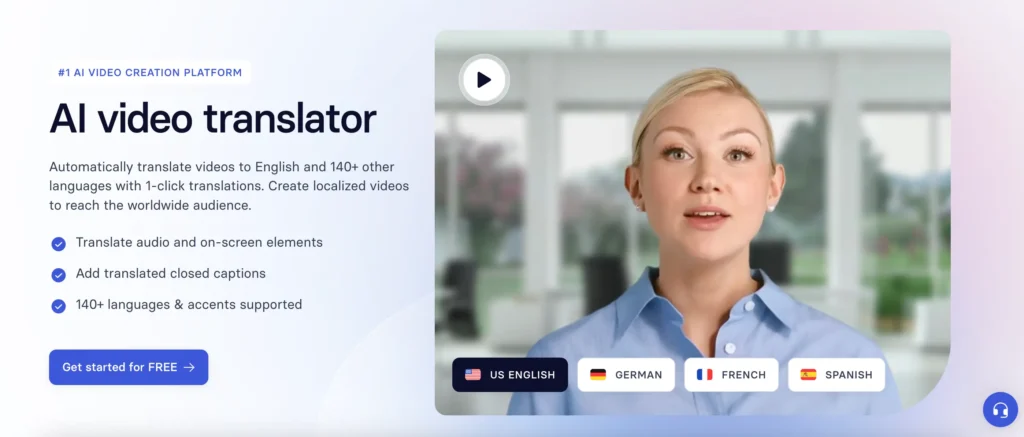
Synthesia is a video creation tool that offers creating avatars and precise lip sync. It is opted by businesses and content creators that need to produce videos in multiple languages. Some of the features of this video translation app are as follows.
Accuracy
Synthesia delivers high quality and reliable translations ensuring accuracy across different languages. It uses an advanced AI that provides a precise translation.
Voice Cloning and Natural Dubbing
Synthesia offers AI dubbing with lip sync and supports translating existing videos into 130+ languages and dialects. Its broader video creation platform also includes 160+ languages and voices.
Realistic Lip Sync
Lip sync is one of the crucial aspects of the AI video translators, and Synthesia stands-out here. It ensures that the lip sync matches the movements of the lips and the avatar so that a human-like output is achieved.
Language Support
For AI dubbing, Synthesia supports 130+ languages and dialects. For broader AI video creation, it offers 160+ languages and voices.
Editing and Proofreading Tools
The editing tools add a finish to translated videos. Synthesia offers tools like subtitle generation, script editing and preview. Using these tools you can control the video quality and publish when satisfied.
Pricing and Cost-Effectiveness
As of June 2026, Synthesia offers a Free plan, with paid plans starting at Starter at $29/month and Creator at $89/month. Enterprise pricing is custom.
Read More:
Best Synthesia Alternatives
HeyGen: Best for Natural Voice Cloning & AI Presenters
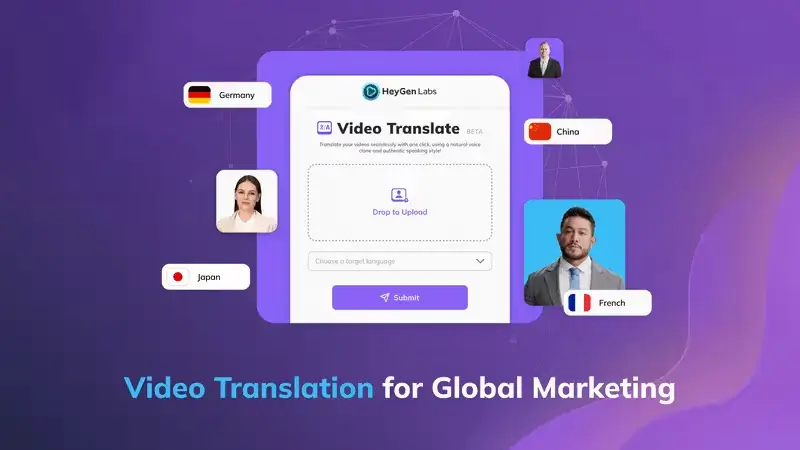
HeyGen is an AI video creation platform that is an excellent tool for users looking for natural voice cloning, versatile language support, and lifelike avatars. It is meant to cater to content creators, educators, and marketers. The process of turning text into videos, keeping realistic presentations intact. It also offers excellent lip sync dubbing to keep viewers engaged.
Accuracy
HeyGen is among the best video translation software that ensures to preserve the tone of the content when translated. Its highly accurate output is equipped with preserving the natural tone and meaning.
Voice Cloning and Natural Dubbing
IHeyGen offers 1,000+ AI voices, voice cloning on paid plans, and avatar-based video generation. This platform is known to offer authentic and human-like narration to keep the output realistic.
Realistic Lip-Sync
HeyGen has advanced technology for lip-syncing. It ensures that the precise lip movements of the avatar are maintained to keep the video real. Such a reliable lip-sync ensures enhanced viewer engagement.
Language Support
HeyGen’s paid plans support 175+ languages and dialects for its global language suite, while the Free plan is limited to 30+ languages.
Editing and Proofreading Tools
HeyGen offers various editing and proofreading options. The different tools it comprises include automated subtitling, script editing, and allowing users to tune their content before publishing.
Pricing and Cost-Effectiveness
You can choose a free trial to explore the tool and then subscribe to it if you want. As of June 2026, HeyGen offers a Free plan, Creator at $29/month, Pro at $49/month, Business at $149/month, and custom Enterprise pricing.
ElevenLabs: Best for High-Quality Audio Dubbing and AI Voices
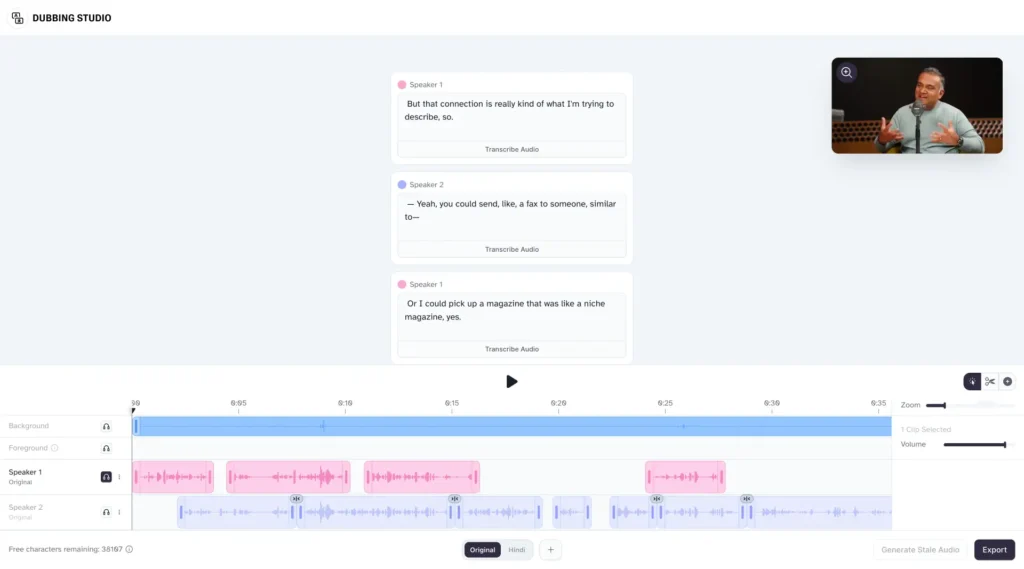
ElevenLabs is a widely popular AI voice synthesis software. It has gained significance due to its excellent text-to-speech capability and natural voice cloning technology. It is a great choice for educators and content creators to have their videos in different languages.
Accuracy
ElevenLabs has exceptional accuracy when it comes to voice synthesis. It has the capability to create emotions in the most subtle way to create human-like speech.
Voice Cloning and Natural Dubbing
It allows users to clone voices using short audio samples and helps produce personalized voiceovers.
Realistic Lip-Sync
ElevenLabs focuses primarily on audio dubbing and voice quality. It can preserve speaker characteristics and timing, but users who need visual lip-sync may need a separate video lip-sync workflow.
Language Support
As of June 2026, ElevenLabs Dubbing supports 90+ languages in its Dubbing v2 workflow. Its API documentation may list different language availability, so API users should verify current limits separately. Such a versatile language support allows catering to a global audience.
Editing Proofreading Tools
The editing and proofreading tools by ElevenLabs are intuitive. They allow polishing the videos before publishing with their comprehensive features. The different tools offered comprise voice customization, script editing, and previewing.
Pricing and Cost-Effectiveness
ElevenLabs offers a Free plan, with paid plans including Starter, Creator, Pro at $99/month, Scale at $299/month, and Business at $990/month. Dubbing costs are credit-based, so users should check the current pricing page before high-volume use.
Rask AI: Best for Broad Language Support & Multi-Speaker Dubbing
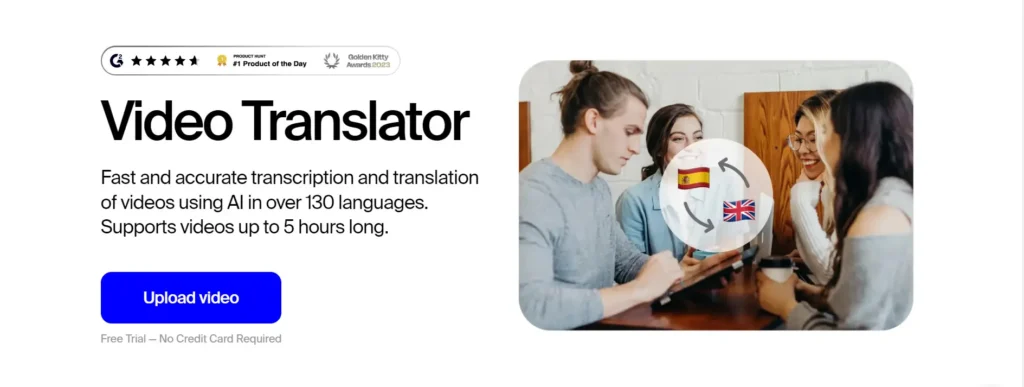
Rask AI is a versatile platform that offers AI video localization. It is suitable for businesses, and content creators that wish to produce content in multiple languages. It has features like multi-speaker detecting, lip syncing and voice cloning.
Accuracy
Rask AI offers to translate the video into varied languages and ensures that the context is maintained. The clarity and original tone are preserved, ensuring the same emotions and expressions in speech.
Voice Cloning and Natural Dubbing
Voice cloning is available in 32 languages and allows users to have their natural-sounding voice-overs created.
Realistic Lip-Sync
Rask AI ensures that the dubbed audio and lip movement of the speaker align well. It consists of multispeaker lip-syncing.
Language Support
Rask AI supports dubbing in 135+ languages. Such versatility makes it suitable for global content localization.
Editing and Proofreading Tools
It comprises various tools for editing and proofreading. The different options include adjusting timestamps, transcripts, and even voice settings to achieve the best results.
Pricing and Cost-Effectiveness
As of June 2026, Rask offers a 7-day free trial with 3 minutes included. Paid plans start with Creator at $60/month for 25 minutes, Creator Pro at $150/month for 100 minutes, and Business at $750/month for 500 minutes. Enterprise pricing is custom.
How to Choose the Best AI Subtitle Translators
Choosing the best video translation app also requires giving attention to the subtitles. Hence, when you are selecting the best AI subtitle translators, some of the considerations to have are as follows:
High Precision and Accuracy
The AI subtitle translation tool you choose should provide accuracy in speech-to-text transcription. Unless you get highly accurate output, the aim of having AI in the first place would be thwarted. The main reason for incorporating AI is to handle things efficiently.
Accuracy in synchronization and Timestamping
Subtitles should match the spoken words. Hence AI should have the ability to precisely match timestamps. It helps ensure that the text aligns with the audio.
Easy to Use Interface
It is important to have an easy-to-use interface, especially when it comes to editing. It is quite understood that AI cannot be perfect 100,% hence you will need to review errors and adjust the subtitle blocks.
Multiple Export Formats
When you have to use the videos across different platforms, it is important that the tool supports different export formats. The most important standard formats are VTT and SRT, and these should be supported by the selected tools.
Extensive Language Support
The right AI subtitle translator must support the actual language of the video. It is important for it to have a versatile language support to ensure that high-quality video transcription is achieved and video reaches a global audience.
Read More: How to Add Translated Subtitles to Youtube Videos
5 Best AI Video Translators for Generating Subtitles:
The five best video translation apps for generating subtitles are given below. Each app has a unique set of features that makes it unique from others.
Submagic: Best for Engaging & Stylized Short-Form Video Subtitles
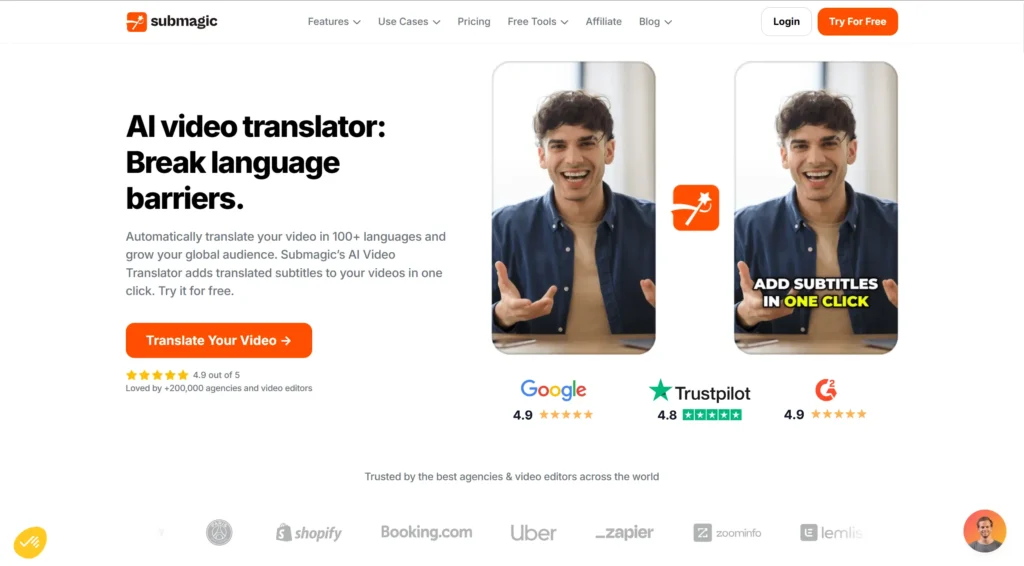
Submagic is designed to help users create Instagram reels, TikTok, and YouTube shorts to gain the attention of their viewers in no time. This app is mainly focused on making the spoken words appealing and engaging.
Accuracy and Precision
Submagic is equipped with a high rate of accuracy, and hence it is highly reliable for transcription of audio in short-form content. It helps you create a better video in less time.
Time Stamping and Synchronization
The focus of this app is on short and concise videos, and hence it excels in creating precise timestamps. The captions of your video appear right where they should be and keep up with the pace of the dialogues.
User-Friendly Editing Interface
Submagic is very easy to use. It has multiple features that help you make subtitles engaging, and also has templates, automated emojis, and much more.
Multiple Export Formats
Submagic is mainly built for creating styled, social-ready captions, with subtitle translation and export options depending on the plan and workflow.
Robust Language Support
Submagic supports auto-captioning in 50+ languages and subtitle translation in 100+ languages. The versatility of the language allows them to enhance their reach to a broader international audience.
Veed.io: Best for Accurate Auto-Subtitles & Easy Editing
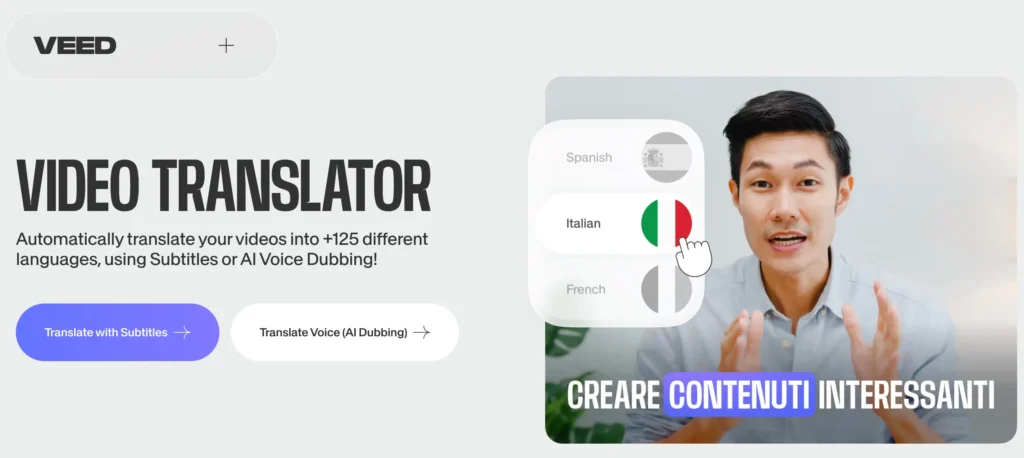
Veed.io is an easy-to-use platform for video editing. It helps to generate accurate subtitles and is equipped with excellent editing tools.
Accuracy and Precision
VEED offers high auto-subtitle accuracy, though results depend on audio clarity, accents, background noise, and speaker overlap.
Time Stamping and Synchronization
This app can automatically generate subtitles with timestamps so that it synchronizes perfectly with the audio present in the video.
User-Friendly Editing Interface
The tool’s editing interface is straightforward to use. You can customize the styles of subtitles, their fonts, and colors effortlessly.
Multiple Export Formats
The users can export their video with subtitles in a wide range of formats that include SRT, TXT, and VTT to cater to diverse distribution requirements.
Robust Language Support
VEED supports subtitle generation and translation across 100+ languages, with exact availability varying by language and plan.
Kapwing: Best for Efficient & Customizable Subtitle Creation
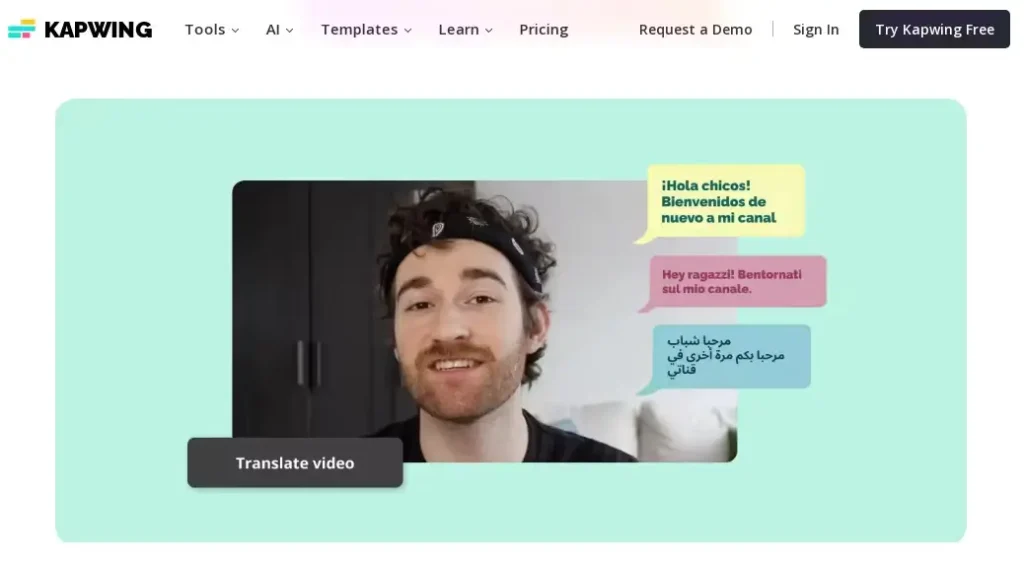
Kapwing is a cloud-based video editing tool that helps create subtitles. It offers benefits to educators, and marketers to enhance their videos.
Accuracy and Precision
Kapwing is a powerful subtitle generator powered by AI. It has a high accuracy in transcribing the audio content in subtitles and matches it very well with the audio.
Time Stamping and Synchronization
Kapwing is capable of generating subtitles that synchronize with the audio and provide a smooth experience for viewers. It also allows users to manually adjust timing to have a seamless alignment.
User-Friendly Editing Interface
Kapwing has a user-friendly editing interface. It allows users to change the colors, and styles of the subtitles. Hence, it gives liberty to align the subtitles with the brand.
Multiple Export Formats
Files in formats like TXT, SRT, and VTT can be exported. It also allows exporting videos with hardcoded subtitles.
Robust Language Support
Kapwing supports subtitle and video translation in 100+ languages, making it useful for creators and teams that need quick subtitle localization. Hence, it is a versatile tool that helps reach a global audience with the help of these videos.
Descript: Best for Editing Subtitles via Text Transcription
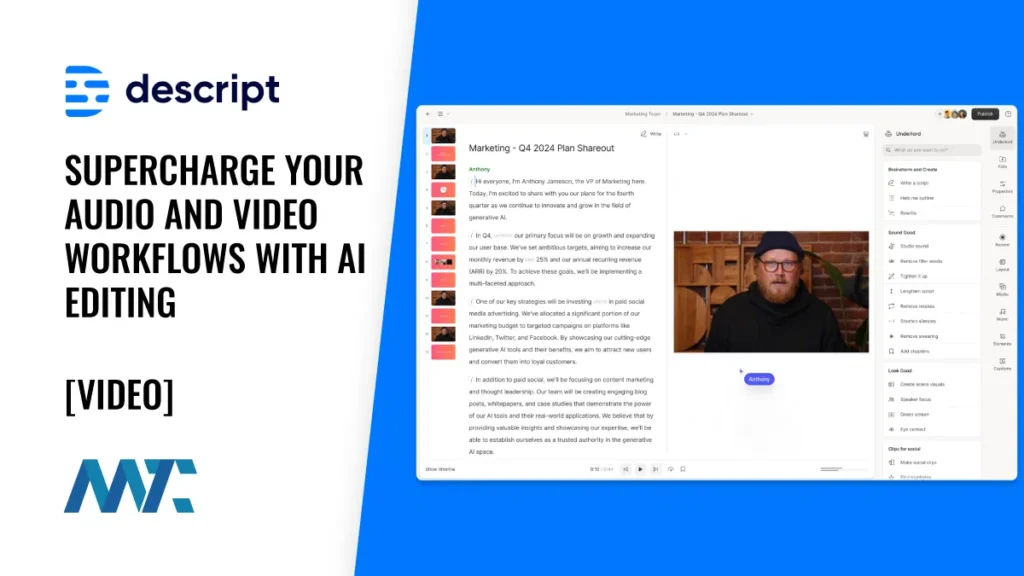
Descript is an editing platform that edits audio and video. It also comprises revolutionary methods to handle subtitles. It converts audio into text and lets users edit their files.
Accuracy and Precision
Descript is known for converting speech to text with high accuracy and ensures that subtitles match the spoken content.
Time Stamping and Synchronization
This tool automatically generates time stamps for the subtitles so that the synchronization is seamlessly carried out.
User-Friendly Editing Interface
The intuitive editing interface of this tool allows users to edit the subtitles in the transcript directly. Hence, corrections and adjustments are made very quickly.
Multiple Export Formats
Users of this tool are entitled to export their video in various file formats like VTT and SRT.
Robust Language Support
Descript supports transcription in 25 languages and, on higher-tier plans, video translation and dubbing in 30+ languages.
It is strongest as a transcript-based video editor, not as a dedicated multilingual dubbing platform.
Maestra: Best for Fast, Multi-Language Transcription & Subtitling
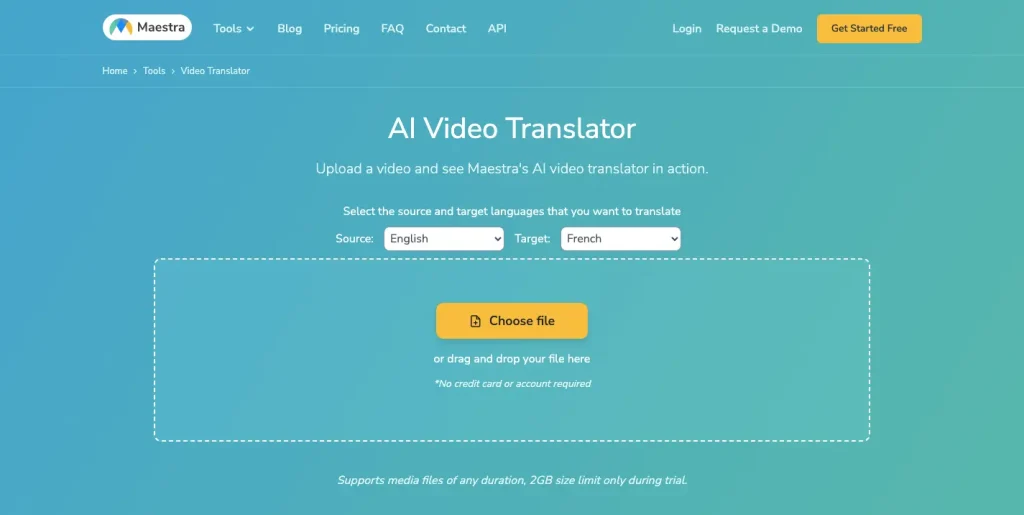
Maestra is an AI-powered platform that streamlines transcripts and subtitling. It is opted by businesses, content creators, and educators. It is mostly considered for the following reasons:
Accuracy and Precision
Maestra offers highly accurate subtitling and transcriptions. These are AI-generated transcripts that match the spoken content.
Time Stamping and Synchronization
This tool generates the subtitles, which are time-stamped in an automated way, and it synchronizes with the audio present in the video.
User-Friendly Editing Interface
Maestra is equipped with an easy-to-use editing interface. Users can customize the subtitles however they want. Such flexibility helps creators to make their video visually appealing.
Multiple Export Formats
Downloading subtitle files like VTT and SRT is quite convenient.
Robust Language Support
Maestra supports 125+ languages for transcription, subtitle translation, and voiceover workflows, helping users localize content for different regions.
Subtitles vs Dubbing vs Lip Syncing: Which to Choose?
Subtitles, dubbing, and lip-synching are meant to serve varied purposes in video translation. Subtitles display text on the screen, dubbing replaces the original audio with translated voice, and lip-sync video translation helps match the dubbed voice to the lip movement of the speaker.
Most AI tools have either of these features, but Vozo stands out because it has all three features to offer. You can have accurate subtitles, natural voiceovers translated, and lip sync that is possible with Vozo. It also has an easy to use interface so that you can customize the subtitles.
Conclusion: Recommended Top 2 Picks
Based on product capabilities and publicly available feature information as of June 2026, I noticed that most solutions on the market are essentially a simple combination of ASR, translation, and TTS. They aren’t specifically designed for the nuanced task of video translation, which often left me stuck with translation errors and misalignments.
Two tools, however, stand out for their dedicated approach to video localization:
- Vozo AI consistently delivers high-quality translations with natural voice cloning, accurate dubbing, and seamless lip-syncing. Its robust, optimized feature set transforms the challenges of video translation into a smooth, immersive experience. I’ve found it to be my go-to tool for professional, high-quality localization.
- Rask.ai offers extensive language support (over 130 languages) and integrates advanced features like lip-syncing into its workflow. Although it sometimes requires a bit of manual tweaking to perfect the output, its focused approach on video localization makes it a strong contender for projects that demand precision and high production value.
Choosing the right video translation app or video translator software can dramatically improve how you connect with global audiences. Whether your priority is precise subtitles, natural-sounding dubbing, or seamless lip-syncing, our top picks provide a clear roadmap for enhancing your content. If you’ve ever asked, “What is the best online video translator?” or “How can I translate a video?”, you now have two dedicated solutions that not only streamline the translation process but also elevate the overall quality of your localized content.
Embrace these innovations to expand your reach and make your content truly global—Vozo AI and Rask.ai are proven to be game-changers in the world of video translation.
Frequently Asked Questions
Q1: How can I translate a video for free?
Many of these platforms, such as Vozo AI and Veed.io, offer free plans or trials. Look for terms like “Is there a free video translator?” or “How to translate a video for free” to get started without any upfront costs.
Q2: Can Google Translate translate videos?
While Google Translate is excellent for text, it does not offer comprehensive video translation features. For high-quality, synchronized dubbing and lip-syncing, dedicated video translator software is the way to go.
Q3: How do I use a video translator?
Using a video translator typically involves uploading your video, selecting your target language, and applying features like automatic subtitles or voice cloning. The user interfaces are designed to be intuitive—even if you’re wondering “How can I translate from a video,” these apps make the process straightforward.
Q4: What is the best online video translator?
Based on extensive testing, dedicated tools like Vozo AI and Rask.ai stand out as the best online video translators. They are specifically optimized for the nuanced task of video translation, offering advanced features such as natural voice cloning, accurate dubbing, and seamless lip-syncing. These tools are ideal for content creators who want high-quality, professional localization.
Q5: How do I ensure my video translation is accurate?
To achieve accurate video translation, choose a tool that goes beyond a simple combination of ASR, translation, and TTS. Look for platforms that offer robust editing interfaces, natural voice cloning, and precise lip-syncing features. For example, Vozo AI provides an AI Pilot and back translation capabilities to help verify and refine the output, ensuring that the final content resonates accurately with your global audience.
Q6: What is the best AI video translator in 2026?
The best AI video translator depends on whether you need subtitles, dubbing, lip sync, or voice cloning. For full video localization, Vozo is a strong option because it combines translation, AI dubbing, VoiceREAL, VoiceNATIVE, optional LipREAL lip sync, subtitle editing, and proofreading in one workflow.
Q7: What is VoiceNATIVE in Vozo?
VoiceNATIVE is Vozo’s voice cloning model optimized for natural target-language accents. It is useful for ads, tutorials, e-learning courses, product explainers, and corporate videos where the dubbed voice should sound native in the target language.
